Connect your apps.
Chat on this PC.
Envoy brings Gmail, Google Calendar and GitHub onto your computer, sorts them with local AI, and answers in chat. Nothing leaves until you confirm it.
Free to start. Windows only for now. Envoy is a desktop app; on your phone you can join and manage your account.
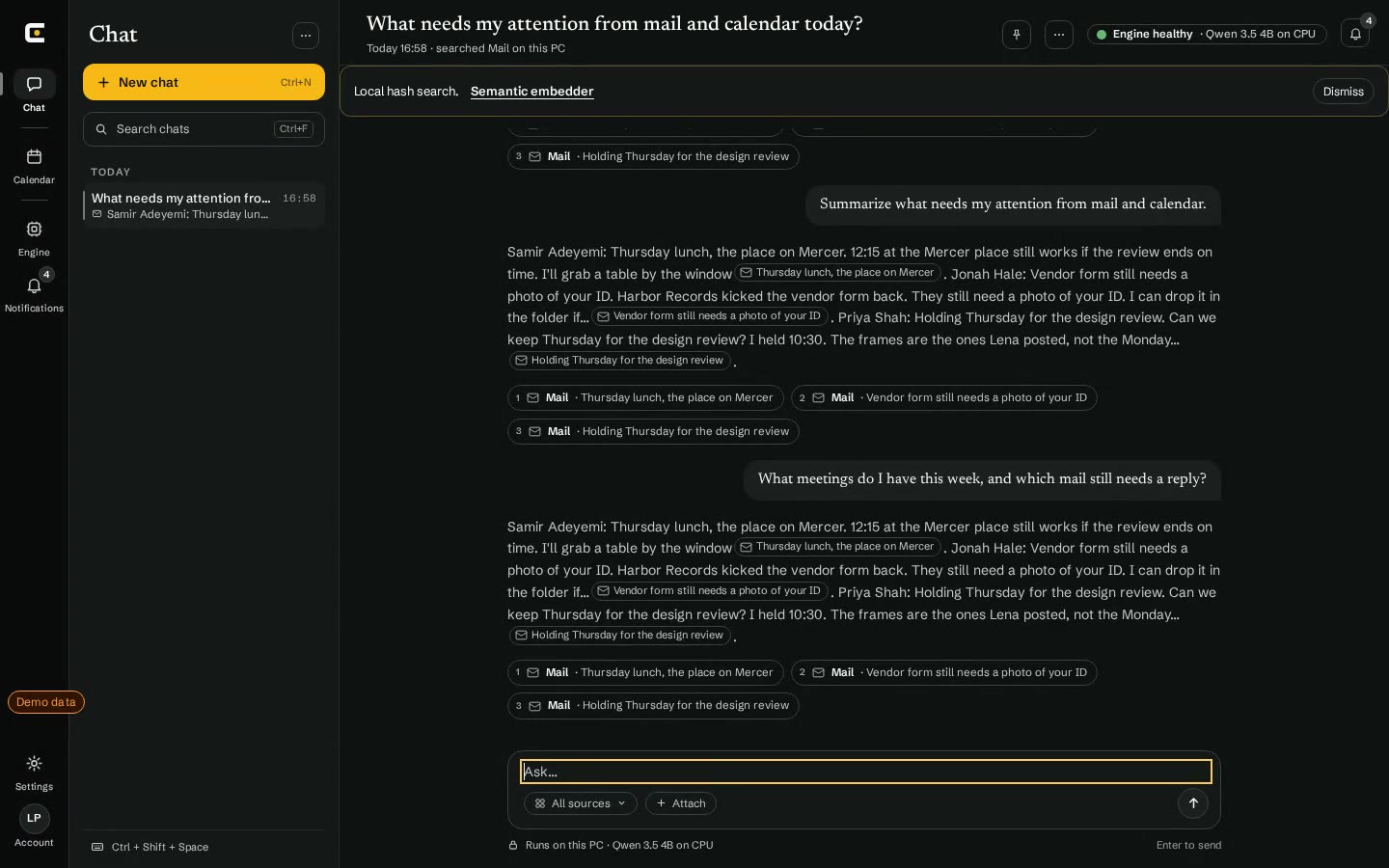
Recorded in Envoy on Windows with demo data. 12 seconds.
Ctrl+Shift+Space opens chat from anywhere.
How it works
Your accounts stay where they are. Envoy keeps a private copy on your PC and works from that.
1
Connect
Sign in to Gmail, Google Calendar or GitHub from Envoy. Access tokens are kept in a local vault.
- Gmail
- Google Calendar
- GitHub
2
Sync and sort on this PC
Mail, events and issues go into an encrypted index on your computer. Local models label what each item is and how urgent it is.
3
Ask, then confirm
Press Ctrl+Shift+Space and ask. Answers cite their sources. Drafts, replies and new events wait for your OK.
Inside the app
Real screens from the Windows beta, running on demo data.
Ask across mail, calendar and work.
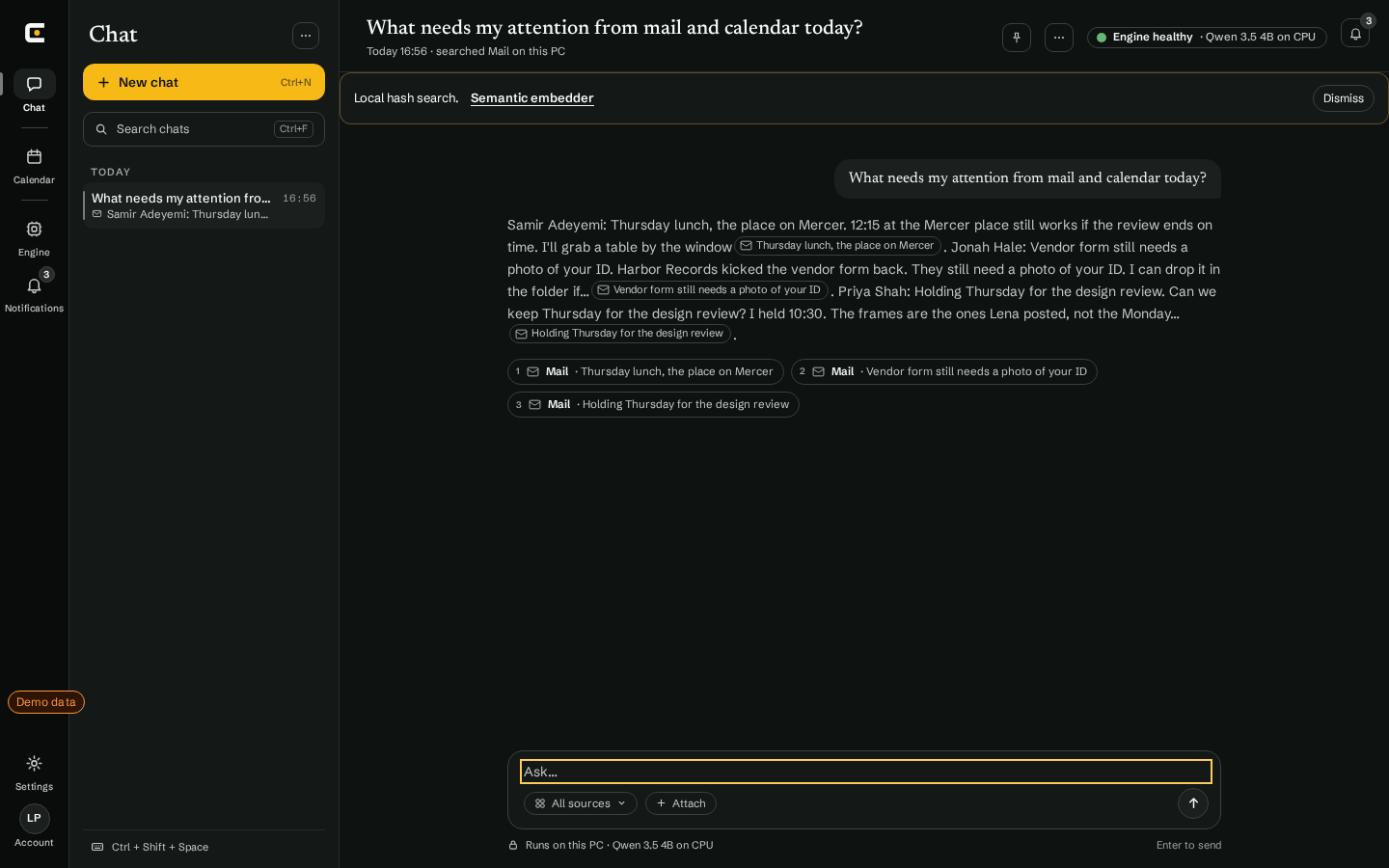
Chat searches what has synced to this PC and answers in plain sentences. Each claim links to the message or event it came from, so you can check it.
Answers cite their sources
 0:12 Triage suggestions
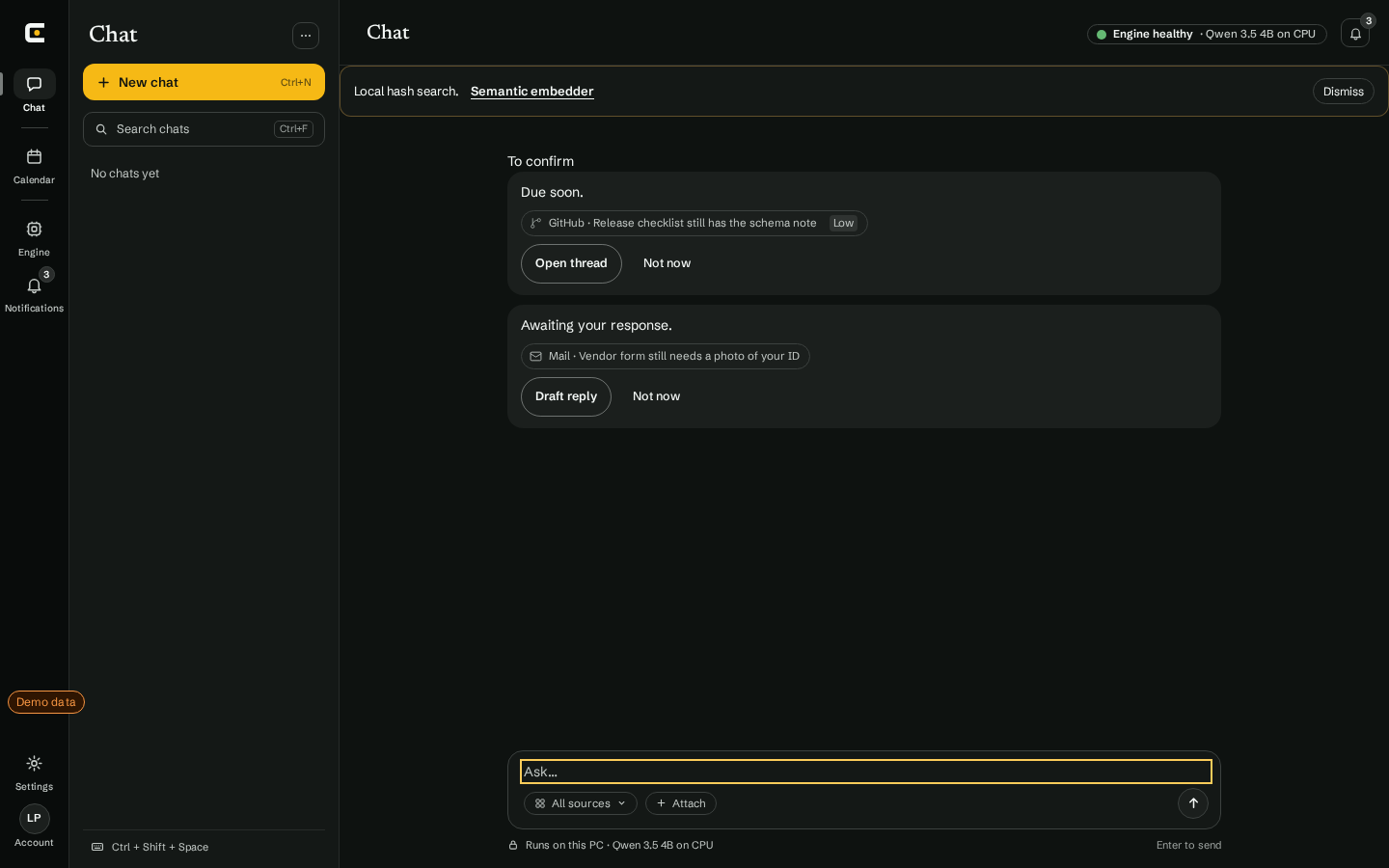
It suggests. You decide.
Envoy notices what is due or waiting on you and offers the next step: open the thread, draft a reply, or let it go. Nothing is sent until you confirm.
Human review before send
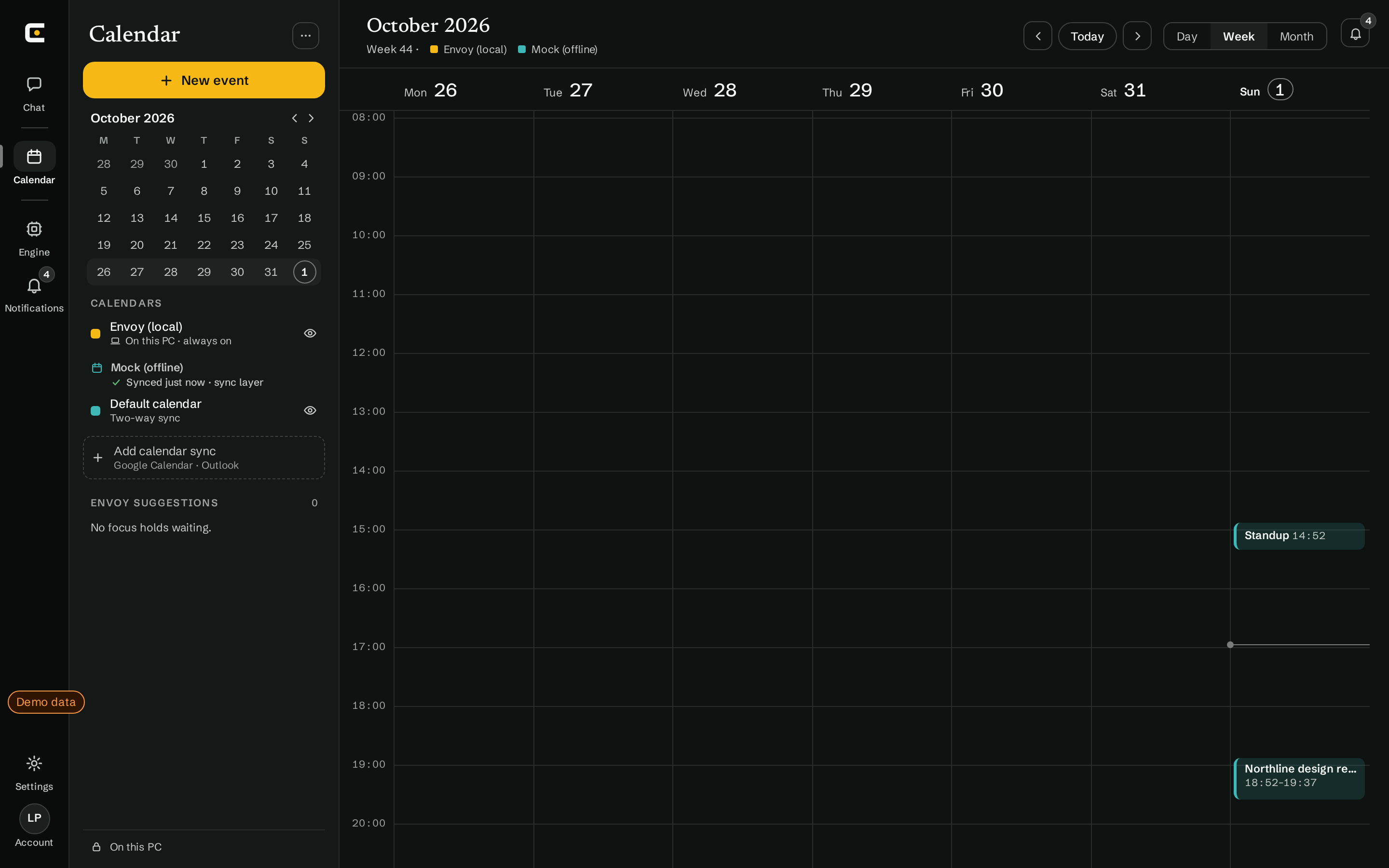
One calendar, on this PC.
Envoy events sit next to your synced Google Calendar. Envoy can add an event for you once you approve it.
Google Calendar sync is live
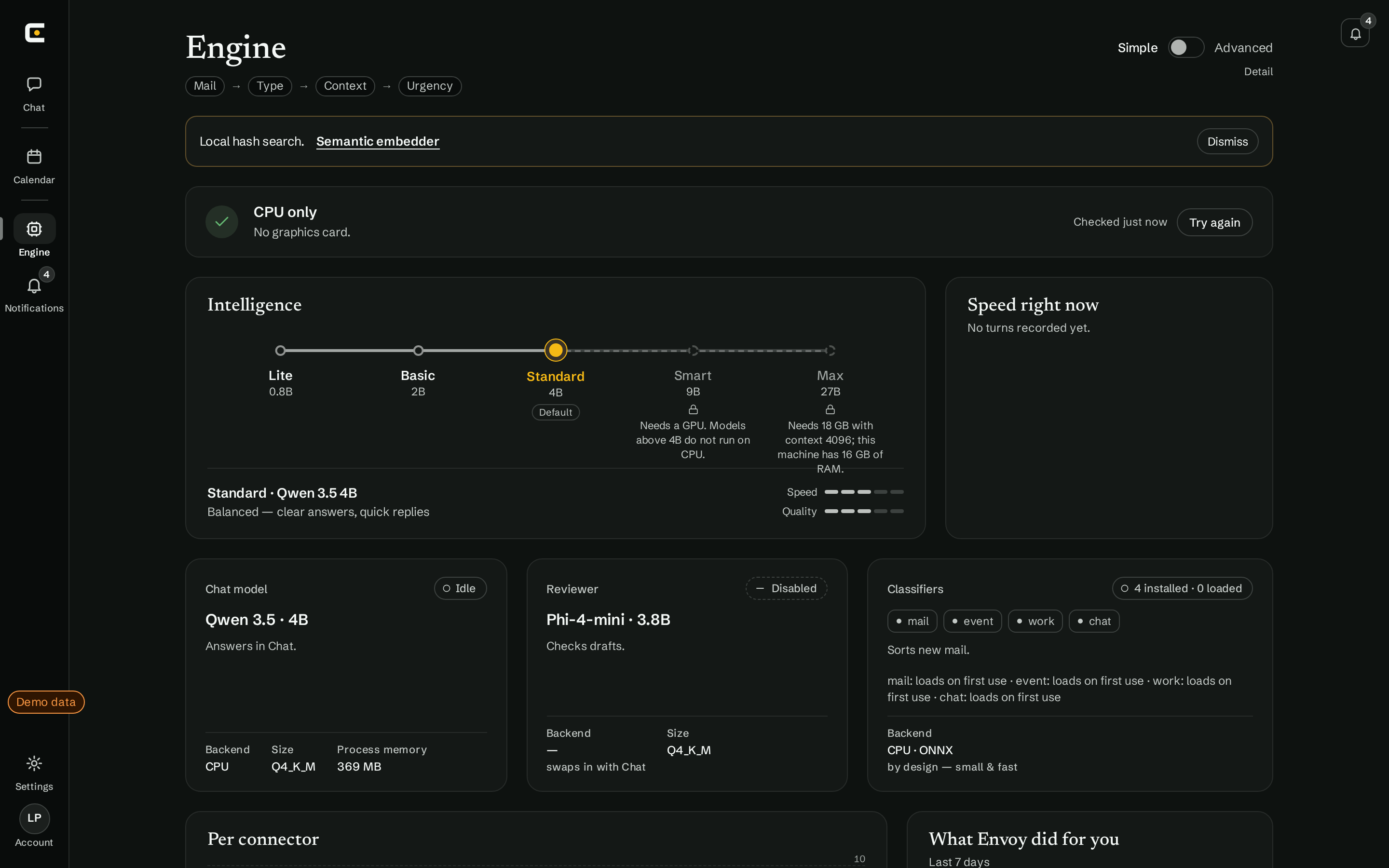
See the models at work.
The Engine tab shows which local models are installed, which one answers, and what your hardware can run. CPU works; larger models need a GPU.
Classification and chat run locally
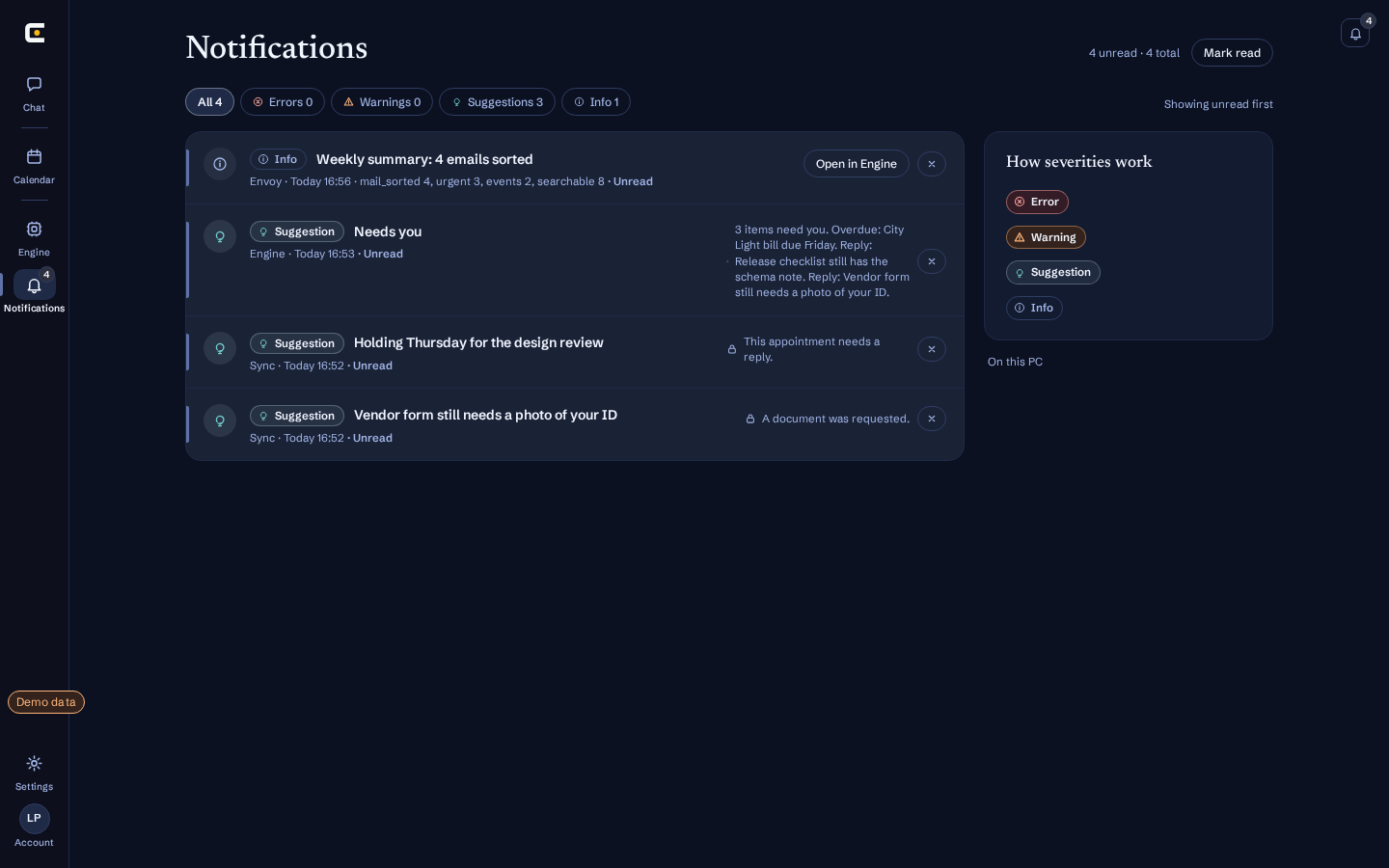
Know what synced and what needs you.
Each sync and sort is reported as it happens, with anything that needs a reply flagged first.
Processed on this PC
Four themes, one calm room.
Dark, Light, Contrast and Nocturne. Contrast keeps every text pair at 7:1 or better.
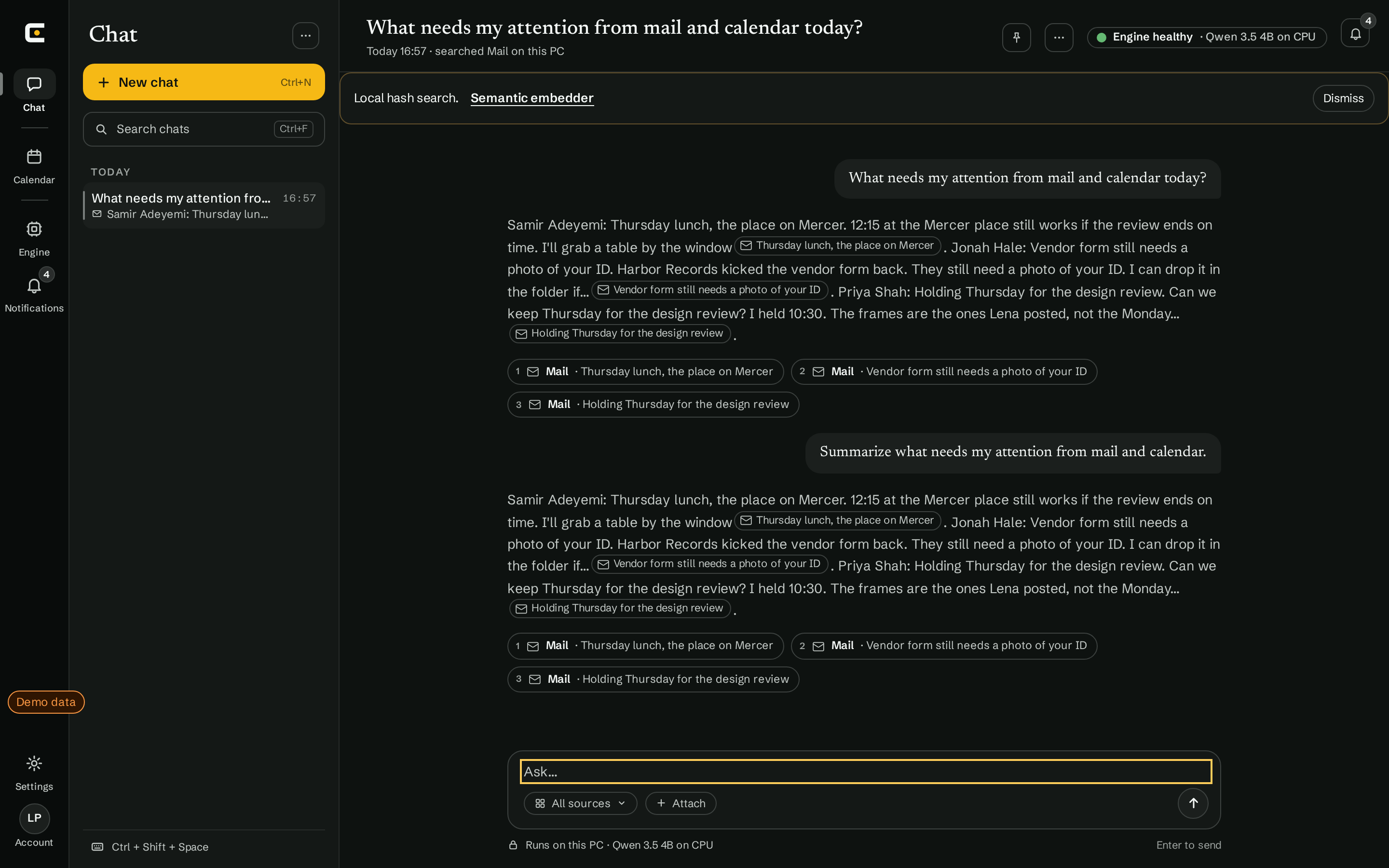
Dark
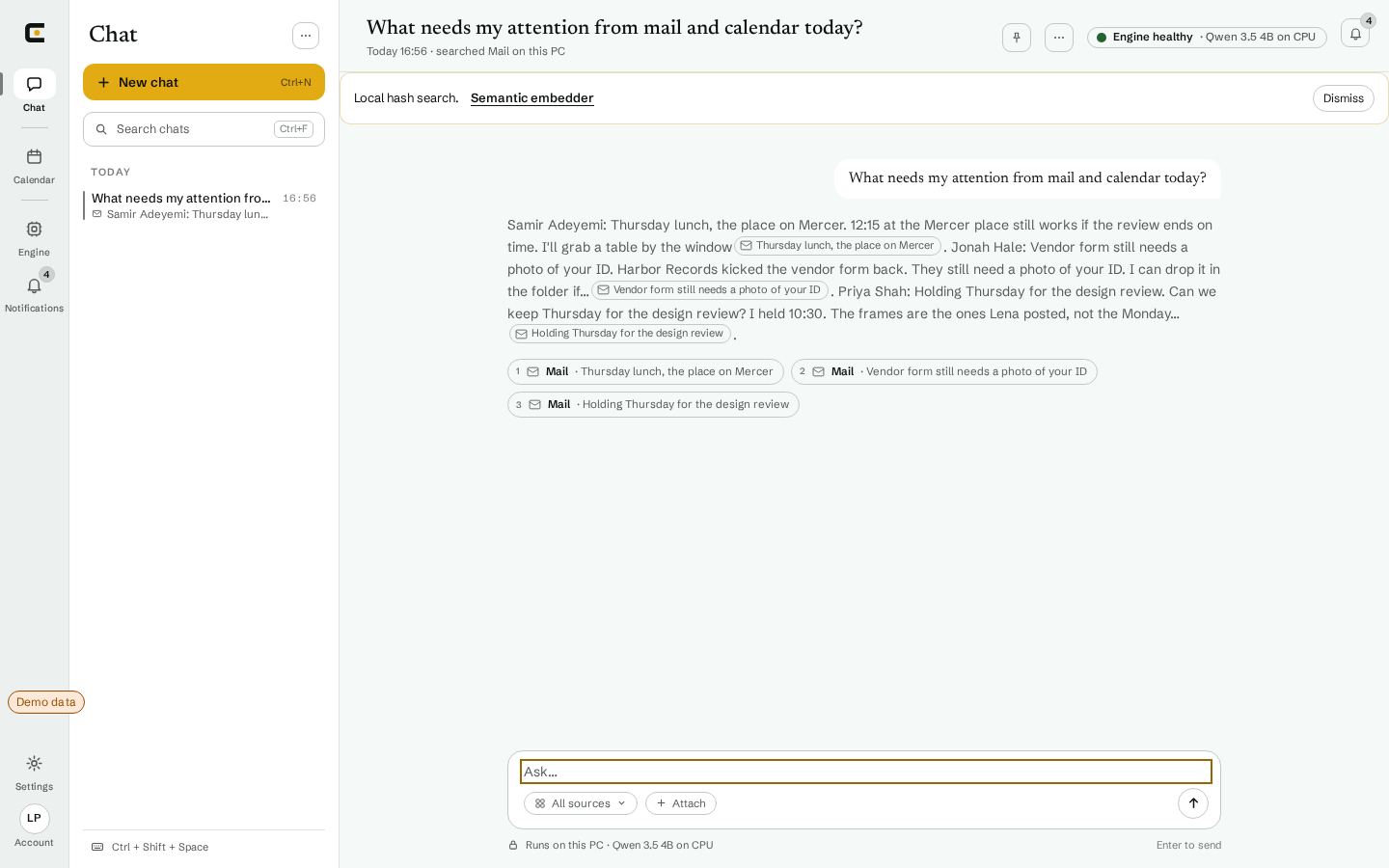
Light
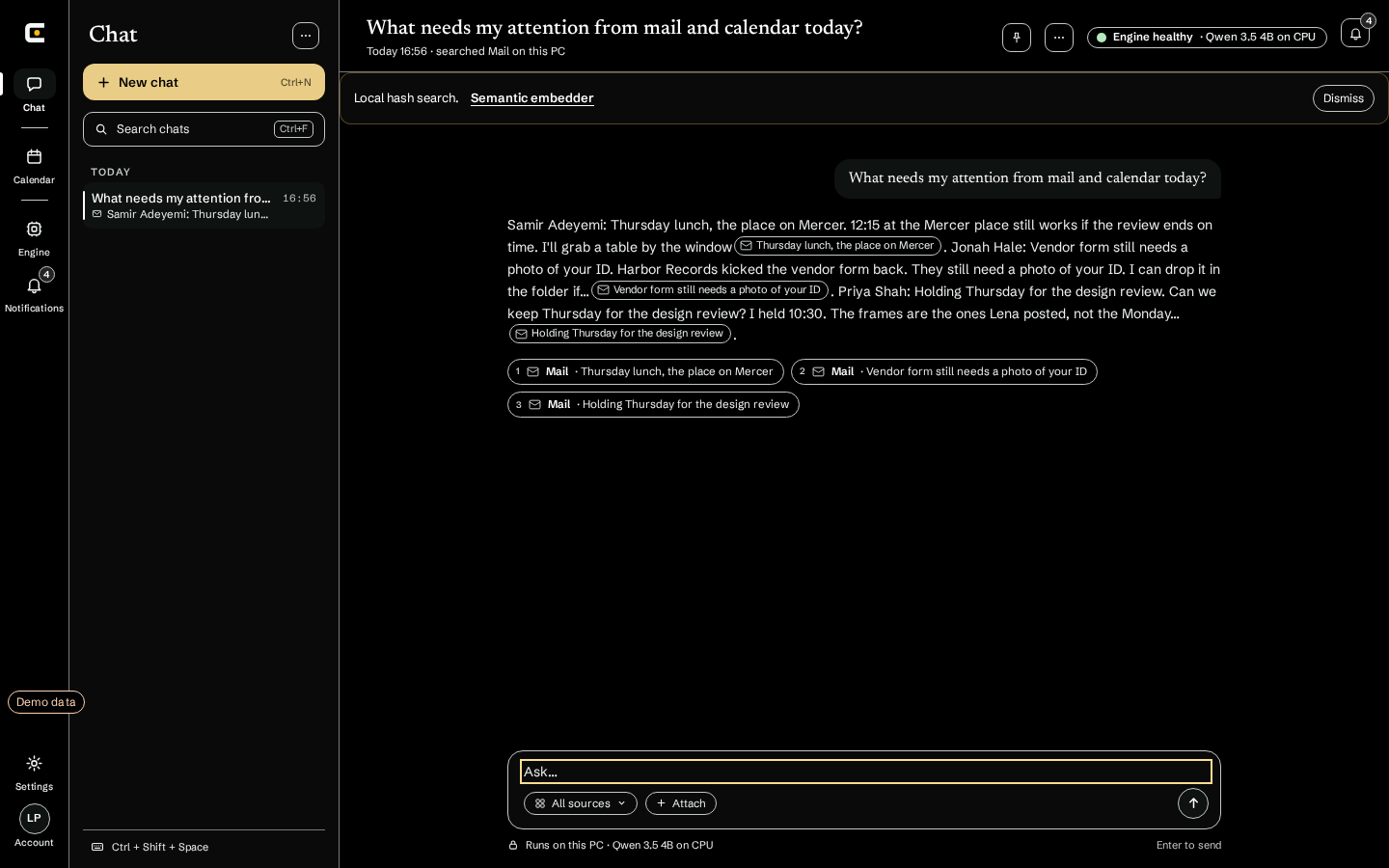
Contrast
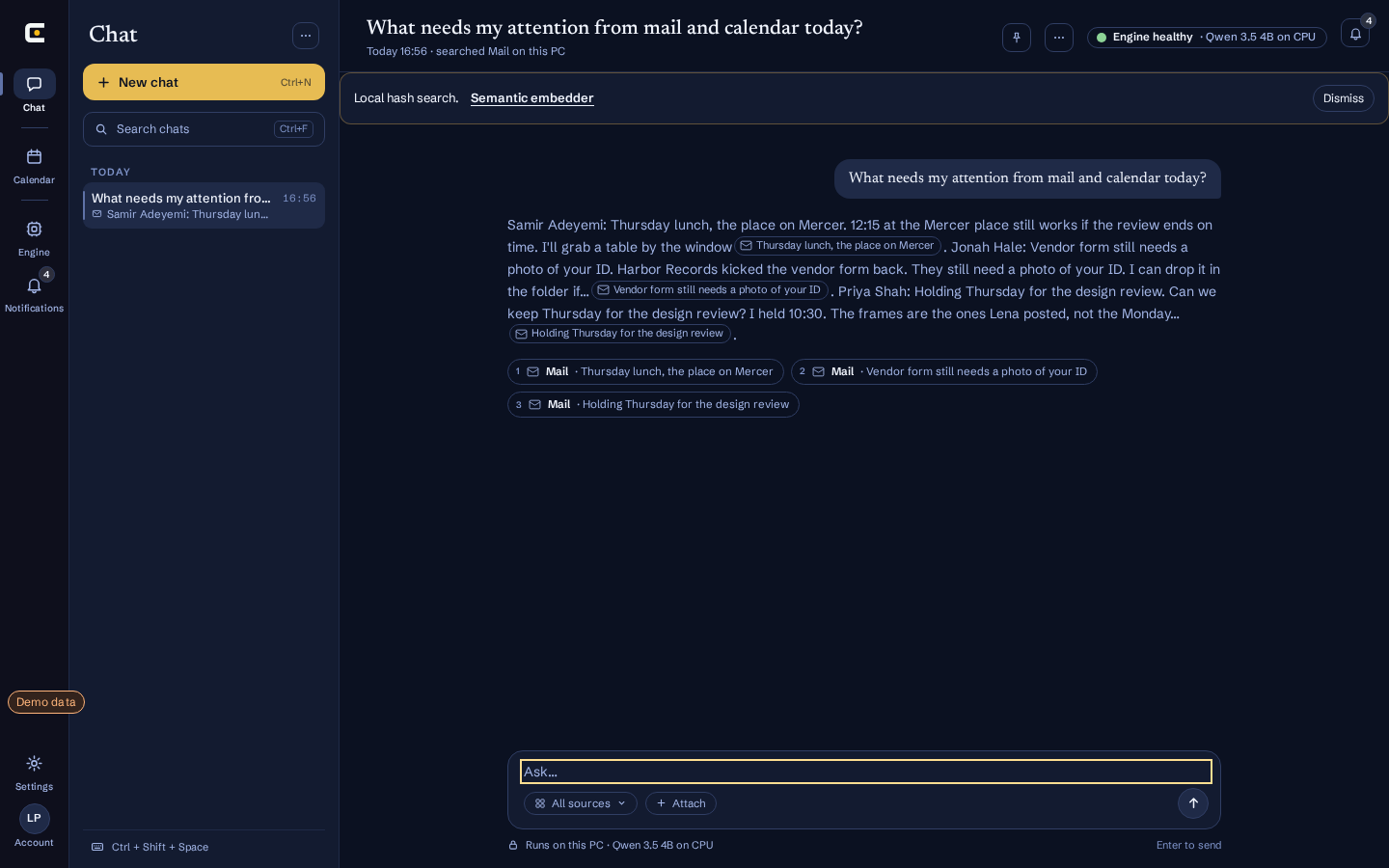
Nocturne
What stays on your PC,
and what can leave.
Privacy is how Envoy is built, not a setting. These are the rules the app follows today.
Stays on this PC
- Your synced mail, events and issues, in an encrypted index.
- Classification and chat, on local models.
- Sign-in tokens for your apps, in a local vault.
- Message bodies never go into telemetry.
Leaves only with your OK
- A reply, a send or a new event. The confirm bar shows exactly what goes out.
- An optional AI endpoint you add yourself. It is off by default, and Envoy warns you before it is used.
Comes in, never out
- Model and catalog files download from our CDN.
- Nothing from your mail, calendar or chats is uploaded there.
Connectors
Three work today. Others are listed as coming soon until they actually work.
GmailLive
Syncs mail. Drafts replies and sends after you confirm.Syncs your mail. Drafts replies and sends them after you confirm.
Google CalendarLive
Syncs events and creates new ones after you confirm.Syncs your events and creates new ones after you confirm.
GitHubLive
Issues and pull requests in your work list.Brings issues and pull requests into your work list for chat.
Outlook mailComing soon
In progress. Not live yet.
Microsoft TeamsComing soon
In progress. Not live yet.
Also planned
- Telegram
- Slack
- Discord
- Google Chat
- Jira
- Azure DevOps
- Linear
- GitLab
- Zoom
- iCloud
- Proton Mail
Start free.
Free covers everything the Windows beta does today. Pro and Enterprise open when checkout does.
Free
€0No card needed
Everything the Windows beta does today.
Join the Windows betaAlready in? Download from your account.
- Windows desktop app, on up to 3 PCs
- Gmail, Google Calendar and GitHub
- Local classification on this PC
- Chat with cited answers, on a local model
- Suggestions and reply drafts you confirm
- Confirm bar before anything is sent; Windows Hello or PIN when the vault is on
- Envoy calendar with Google sync
- Dark, Light, Contrast and Nocturne themes
Pro
Coming soon
For people who run their week through Envoy.
Checkout is not live yet.
- Everything in Free, on up to 3 PCs
- Writing-style fine-tuningPlanned
Enterprise
Customfor teams
For teams that need more than 3 PCs.
Contact usWe reply by email.
- Everything in Pro
- A custom number of PCs, set with your team
- Single sign-onPlanned
- Team admin and device policiesPlanned
- Help rolling out to your PCs
Paid plans cannot be bought yet and Pro has no price set; we will open checkout here when billing is ready. Your data stays on your PC on every plan.
Questions
Does my mail leave my PC?
No. Envoy syncs it into an encrypted index on your PC and reads it with local models. A reply or event leaves only after you confirm it. The one exception is an AI endpoint you add yourself: it is opt-in, off by default, and Envoy shows a privacy warning before anything leaves your PC.
Is Envoy an email app?
No. There is no inbox to manage. Envoy keeps your apps in sync on your PC, and you ask it what you need to know.
What do I need to run it?
A Windows PC. Chat uses a local Qwen model sized to your hardware: smaller models run on the CPU, larger ones need a GPU.
What does it cost?
Free is €0 and covers everything the beta does today. Pro has no price yet and Enterprise is priced per team. Checkout is not live yet, so paid plans show Coming soon.
Does Envoy work with Outlook and Teams?
Outlook calendar sync and Outlook send are live. Outlook mail (inbox) sync is not. Teams is planned and shows demo data only.
Why do I need an account?
For your beta license, up to 3 PCs and your downloads. Joining puts you on the waitlist until your spot opens. Your mail, calendar and chats stay on your PC, not in your account.